Microsoft officially announced the presence of Windows 11. The OS successor to Windows 10 brings significant changes, ranging from a fresh interface design, improved performance, to support for Android applications. Windows 11 is claimed to be 40 percent lighter and more efficient than the previous version. There are a number of new features given to this Windows 10 successor.
“And most importantly, Windows 11 is the most secure,” said Microsoft Chief Product Officer, Panos Panay, at the Microsoft Windows Event, Thursday (24/6/2021) night.
Not only that, it turns out that there are a number of hidden features. And at the launch on Thursday night (6/24/2021), Microsoft revealed more capabilities of the new operating system.
Desktops

Multitasking is the main focus of Windows 11. That’s why Microsoft provides a more reliable way to multitask and stay aware of what needs to be done with the Desktop feature.
This feature allows users to group tasks across multiple desktops. So users can have Desktops for work, gaming, or school. Switching between Desktops can be done easily.
Snap Layout
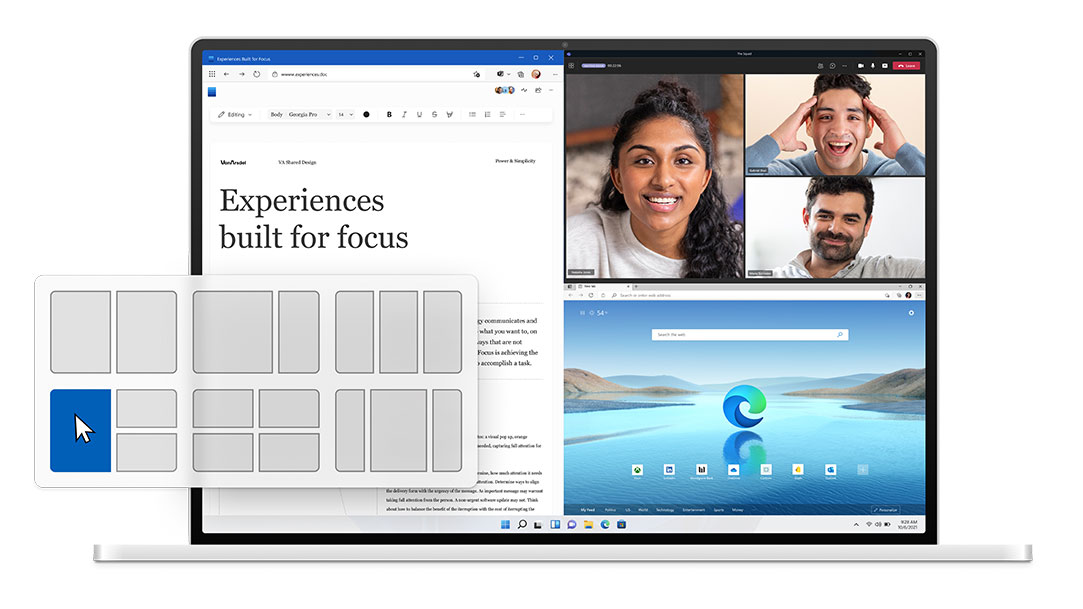
Snap Layout or multi-monitor support. It allows users to open multiple applications at once by connecting to an external display from a laptop. Microsoft seems to realize that most of its users always have more than one application open at the same time, hence Snap Layouts. Interestingly, the system will remember the location of the application that is opened on the split screen and does not interfere with the layout of the main screen. The position of the application will return when the user reconnects to the monitor. So no need to pair manually anymore. Just one click, the application is immediately arranged according to the selected pattern.
Widgets
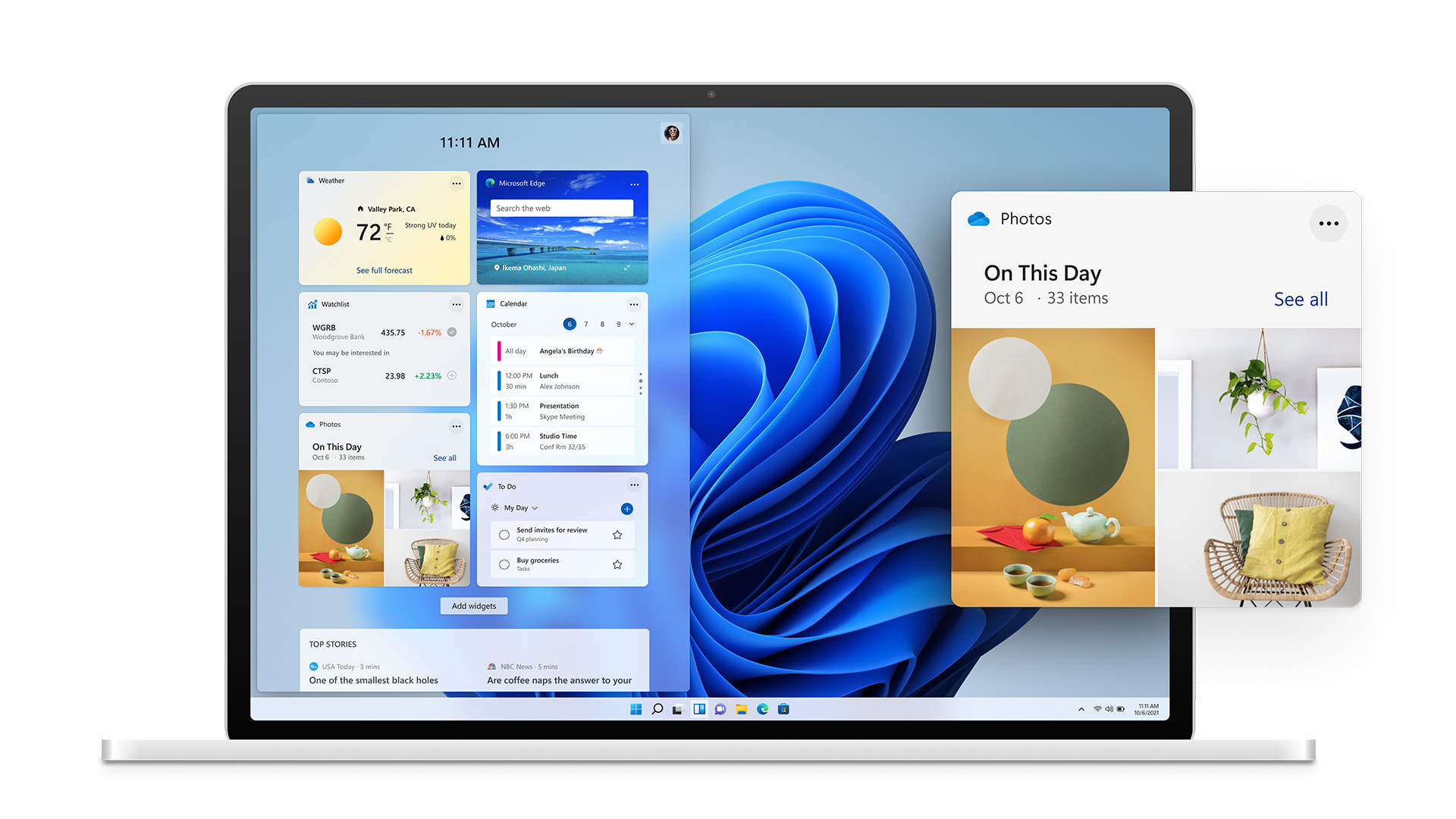
Microsoft provides a Widget that can be accessed when the cursor is hovered to the left of the screen. It contains various important information for users, from weather, calendar, stocks to news. According to the technology giant from Redmond, this widget is equipped with AI and allows users to personalize it. Besides that, the appearance can be made more full screen just by pulling it.
Gaming
:strip_icc():format(webp)/kly-media-production/medias/3492505/original/059733100_1624555111-WhatsApp_Image_2021-06-24_at_11.56.16_PM__2_.jpeg)
To support game enthusiasts, Windows 11 brings the Auto HDR feature directly without the need for additional adjustments. Microsoft is using its experience in tuning Xbox to deliver a more powerful gaming experience with Windows 11. Games built on the Direct X 11 platform (or higher) will be supported with Auto HDR, just like those used on Xbox.
Adaptable
The next interesting feature, Windows 11 can adapt to changing conditions. For example, the switch from using a laptop to a touch screen tablet. Supporting hybrid devices, Windows 11 provides a rotatable adaptive screen for portrait use.
Android Application
Microsoft also announced several Android apps that will be available in the Windows Store, and will be able to run on Windows 11 without the need for special modifications, such as social media apps and games.
(NFL)